Subject line spam happens when a filter flags your email based on the words, formatting, or sender reputation behind it. To stay out of the spam folder, write clear, honest subject lines, skip aggressive sales words and ALL CAPS, limit emojis and punctuation, and authenticate your sending domain.
Contents
- What Makes a Subject Line Land in Spam?
- What Words Trigger Spam Filters in Subject Lines?
- Do Emojis and Punctuation Trigger Subject Line Spam?
- How Long Should a Subject Line Be to Avoid Spam?
- Does Sender Reputation Matter More Than the Subject Line?
- How Can You Keep Subject Lines Out of the Spam Folder?
- What Does a Spam-Safe Subject Line Look Like?
What Makes a Subject Line Land in Spam?
A subject line rarely sends an email to spam on its own. Filters score the whole message, and the subject line is one signal among many.
That said, it's a loud signal. Words that scream "sales pitch," misleading promises, and shouty formatting all raise your spam score.
Sender reputation matters too. If your domain isn't authenticated or your past emails got lots of spam complaints, even a clean subject line can struggle to reach the inbox.
What Words Trigger Spam Filters in Subject Lines?
Spam filters learn from billions of flagged messages, so they react to words that show up in scams and pushy promotions. Think "FREE," "act now," "100% guaranteed," "risk-free," and "make money fast."
You don't have to ban these words forever. But pairing several of them, especially with caps and exclamation points, stacks the deck against you.
The fix is usually a simple swap. Here's how common trigger words map to safer alternatives.
| Risky phrase | Why it flags | Safer swap |
|---|---|---|
| FREE!!! / 100% FREE | Caps plus punctuation plus a classic spam word. | "Your gift is inside" |
| Act now / Urgent | High-pressure language common in scams. | "Ends Sunday" |
| Make money fast | Strongly associated with fraud. | "Save on your next order" |
| Re: / Fwd: (when it isn't) | Misleads the reader and the filter. | An honest, descriptive line |
According to Google's email sender guidelines, subject lines should accurately represent the message and never start with "Re:" or "Fwd:" unless the email really is a reply or forward.
Do Emojis and Punctuation Trigger Subject Line Spam?
One emoji won't tank your deliverability. Filters look at patterns, not a single smiley.
The trouble starts with excess. A string of emojis, multiple exclamation points, dollar signs, or ALL CAPS reads as spammy to both filters and people.
So use emojis as seasoning, not the main dish. One well-placed symbol can lift opens, while five in a row often does the opposite.
How Long Should a Subject Line Be to Avoid Spam?
Length isn't a direct spam trigger, but it shapes the behavior that is. Most inboxes cut subject lines off around 40 to 50 characters, and a line that runs long often looks like it's trying too hard.
Shorter lines also display fully on mobile, where most opens happen. A clear, scannable subject earns opens, and consistent opens build the engagement that keeps you in the inbox.
So aim for roughly 6 to 10 words. If you can't say it in that space, the offer probably belongs in the preview text or the email body, not the subject line.
Does Sender Reputation Matter More Than the Subject Line?
In most cases, yes. A perfect subject line can still hit spam if your domain has a poor sending history, while a plain one sails through from a trusted sender.
Reputation is built on engagement and complaints. Google asks bulk senders to keep their user-reported spam rate below 0.1% and never let it reach 0.3%, because high complaint rates tank your placement fast.
The takeaway is simple. Treat the subject line as one lever, then back it up with authentication, list hygiene, and content people actually want to open.
How Can You Keep Subject Lines Out of the Spam Folder?
Start with honesty. Your subject line should match what's actually inside, because mismatched promises drive the spam complaints that wreck your reputation.
Next, keep it human. Write the way you'd talk to a customer, stay under about 50 characters, and lead with the real benefit instead of hype. (More email subject line best practices here.)
Then protect the foundation. Authenticate your domain with SPF, DKIM, and DMARC, and prune inactive subscribers so your engagement stays high. The FTC's CAN-SPAM guidance also requires accurate subject lines and a clear way to unsubscribe.
What Does a Spam-Safe Subject Line Look Like?
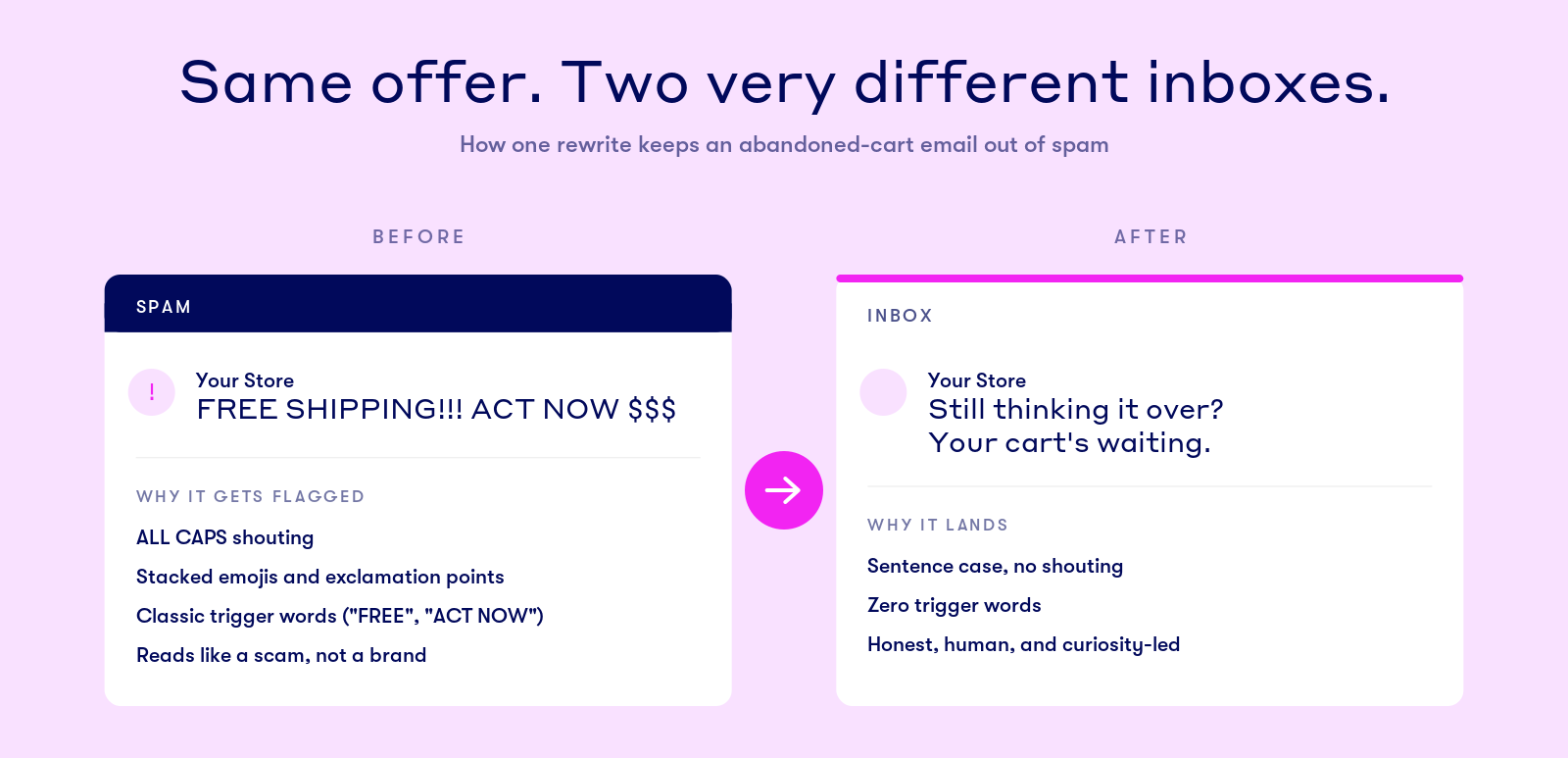
Say a Shopify store wants to recover abandoned carts. The first draft reads: "🔥🔥 FREE SHIPPING!!! ACT NOW BEFORE IT'S GONE." It's all caps, stacked emojis, and two trigger phrases at once.
Rewritten, it becomes: "Still thinking it over? Your cart's waiting." Same offer, zero spam signals, and it sounds like a person.
That kind of clean, targeted subject line lands where it should. Drip customer Nifty Gifts saw a 46% open rate on its abandoned cart emails, proof that honest subject lines plus the right timing reach real inboxes.